Doppler secrets, built for your thumbs
Wavelength is an independent iPhone and iPad client for Doppler. Browse projects, environments and configs, reveal and copy secrets, compare two configs, and back everything up — each of them one tap, behind Face ID, with no backend in between.
Free · One-time Pro unlock, $17.99 / €19.99 · No subscription
The things you do constantly, in one tap
The Doppler dashboard was built for a mouse. On a phone that means pinch-zooming a dense table, hunting for controls sized for a cursor, and switching tabs whenever two things need comparing — usually at the exact moment you're trying to work out whether production really has the key you think it has.
Wavelength is the same data, laid out for a device you hold. The three things you reach for constantly each take one tap.
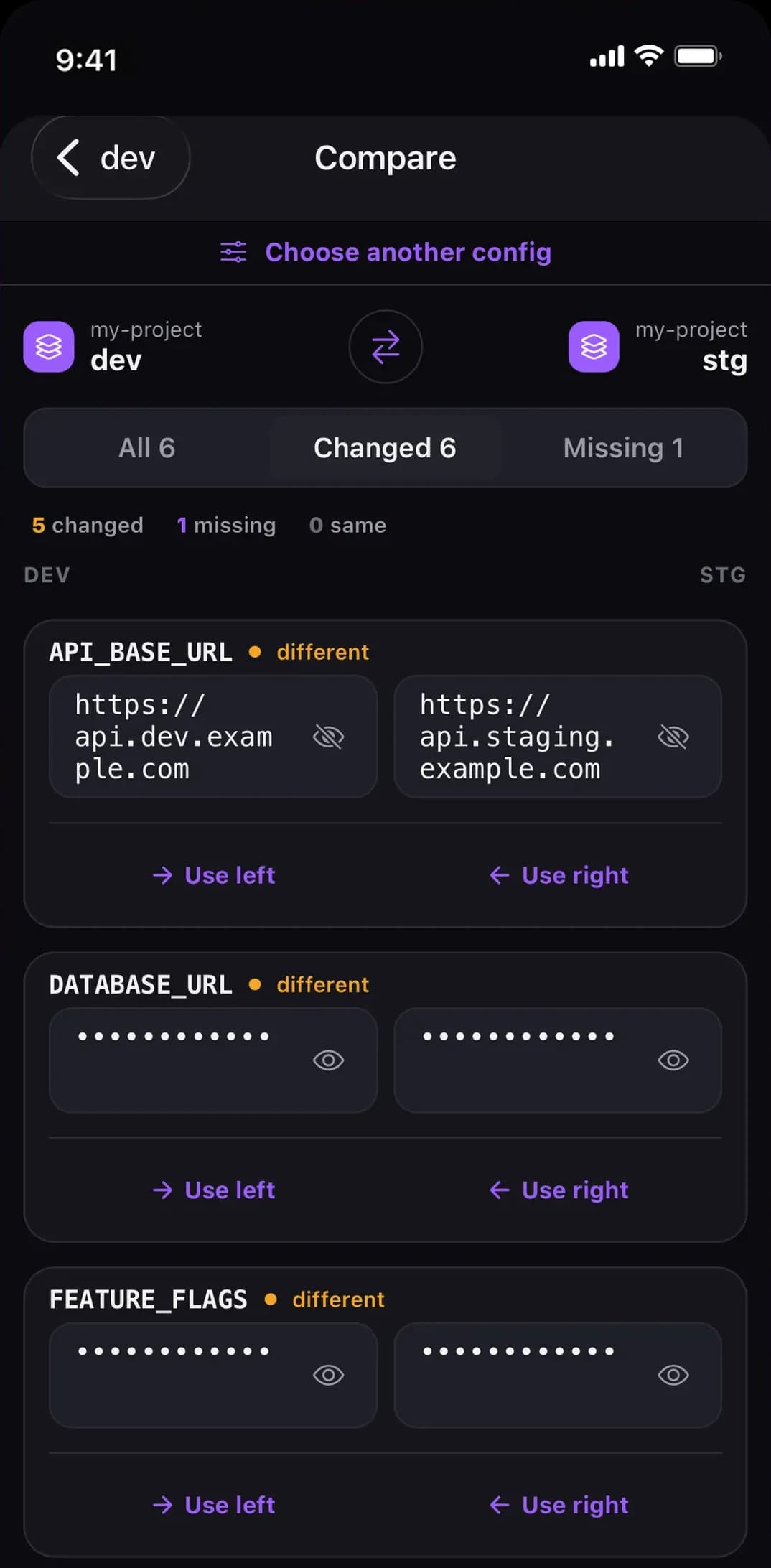
Compare stage and production, and fix the difference right there.
Two configs side by side, what's missing on either side, and a value copied across without leaving the screen or retyping something you can't read. Split view on iPad. It's the screen we open most, and the reason Wavelength gets used at a desk too, not only away from one.
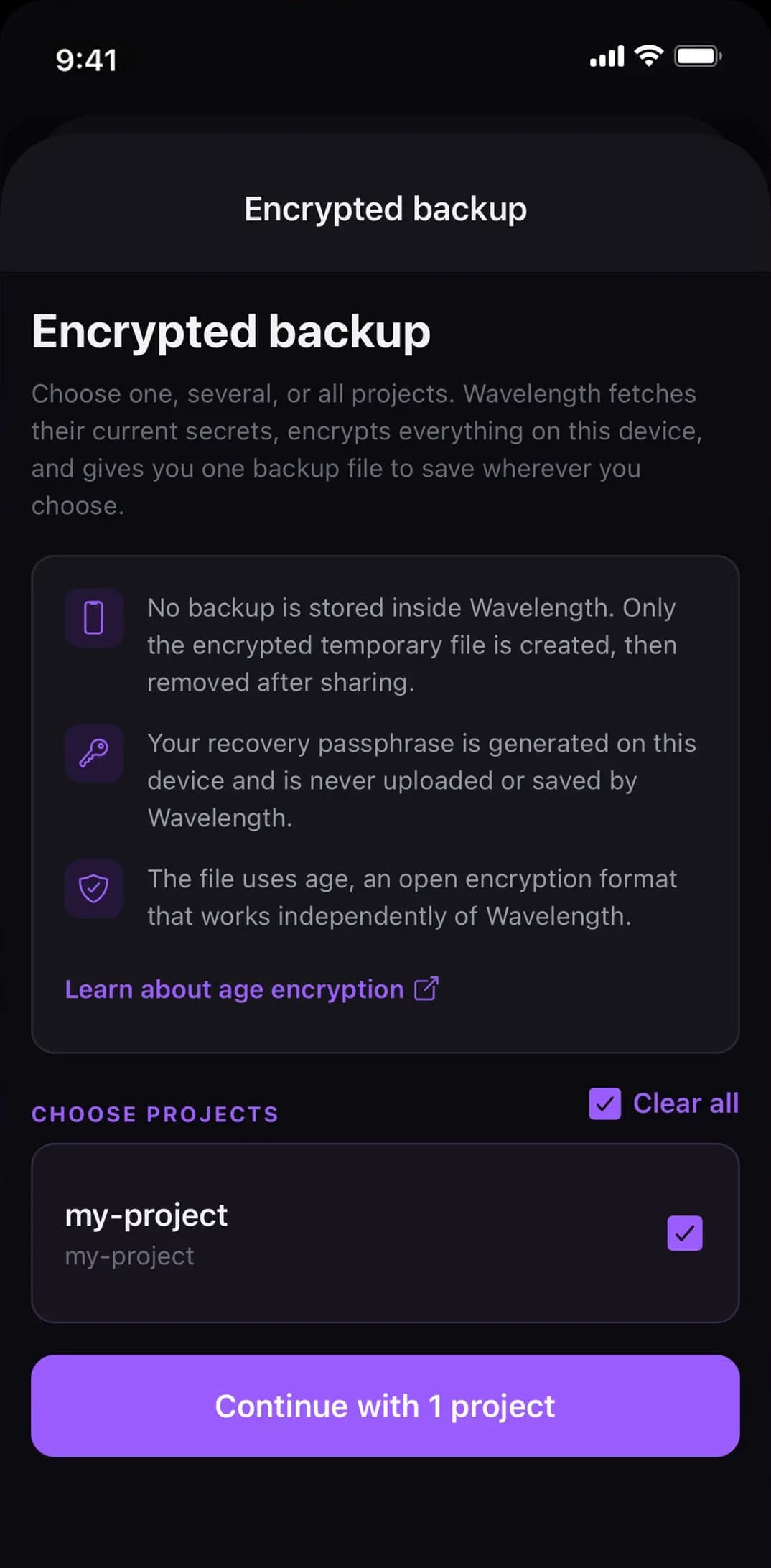
Back up in one tap.
Pick your projects, choose a passphrase, done. Several projects — every environment, config and secret — in a single encrypted file. It is a standard age file, so age -d opens it on any machine, with or without Wavelength. It goes straight to the share sheet; nothing stays in the app.
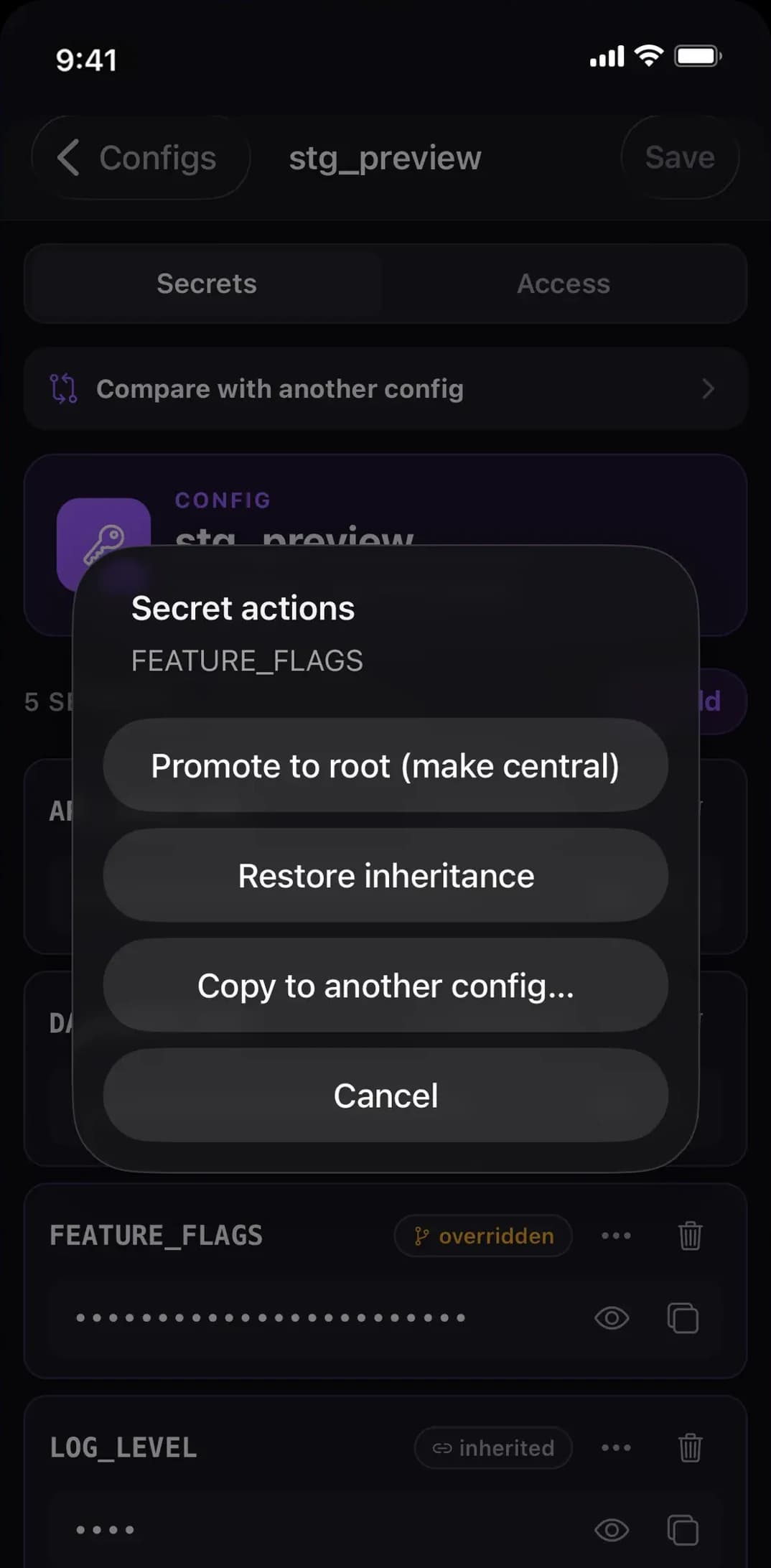
Inheritance you can see — and take back.
In a branch config, every secret is labelled: inherited, overridden, or local. Promote one up to the root config and the branch converges to inherit it, instead of keeping a copy that quietly stops tracking root. Changed your mind about an override? Restore inheritance puts the key back on the root value in one tap — the operation that is easy to get wrong against the API, where simply clearing a value suppresses the key rather than restoring it.
What you can actually do with Doppler on your iPhone
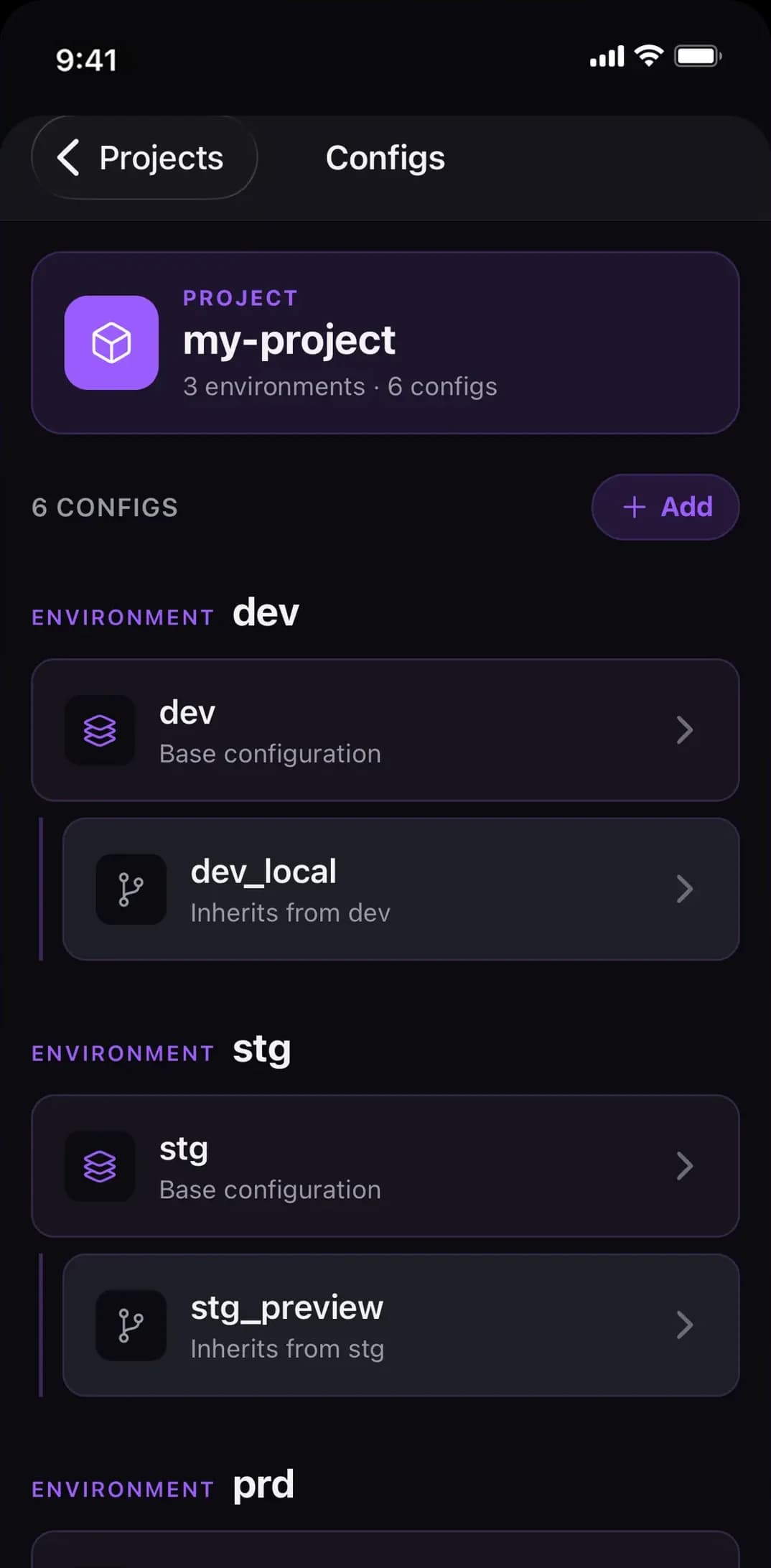
Every environment, one tap away
Projects, environments and configs in a structure that matches how Doppler works.
Reveal, copy, edit
Values stay masked until you tap. Copy safely, or edit and save several changes in one batch.
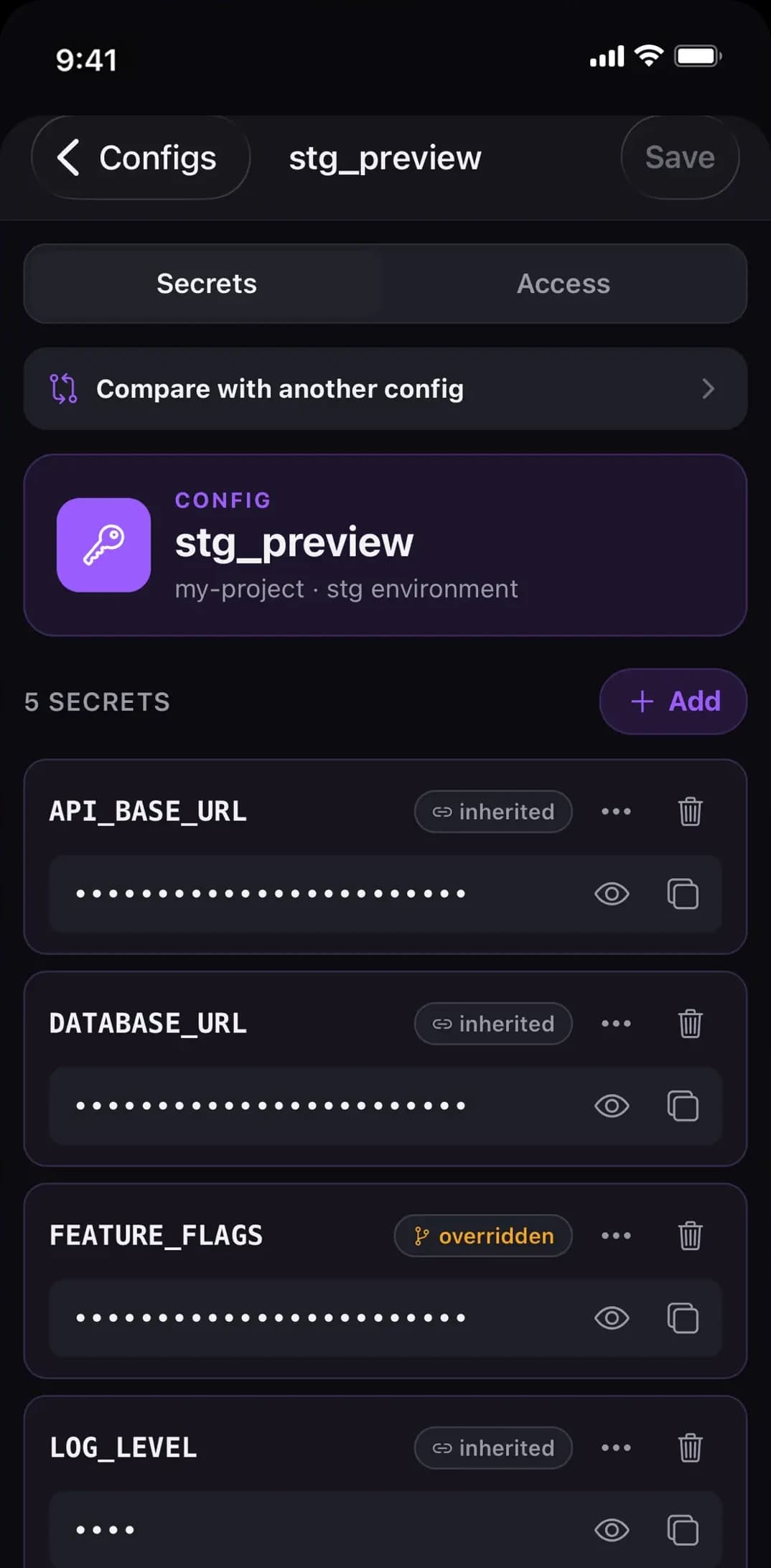
See what's inherited, or overridden
Root and branch configs side by side, so you can tell at a glance where a value actually comes from.
Compare configs and copy values in one tap
Diff two configs, see what’s missing on either side, and copy a value across.
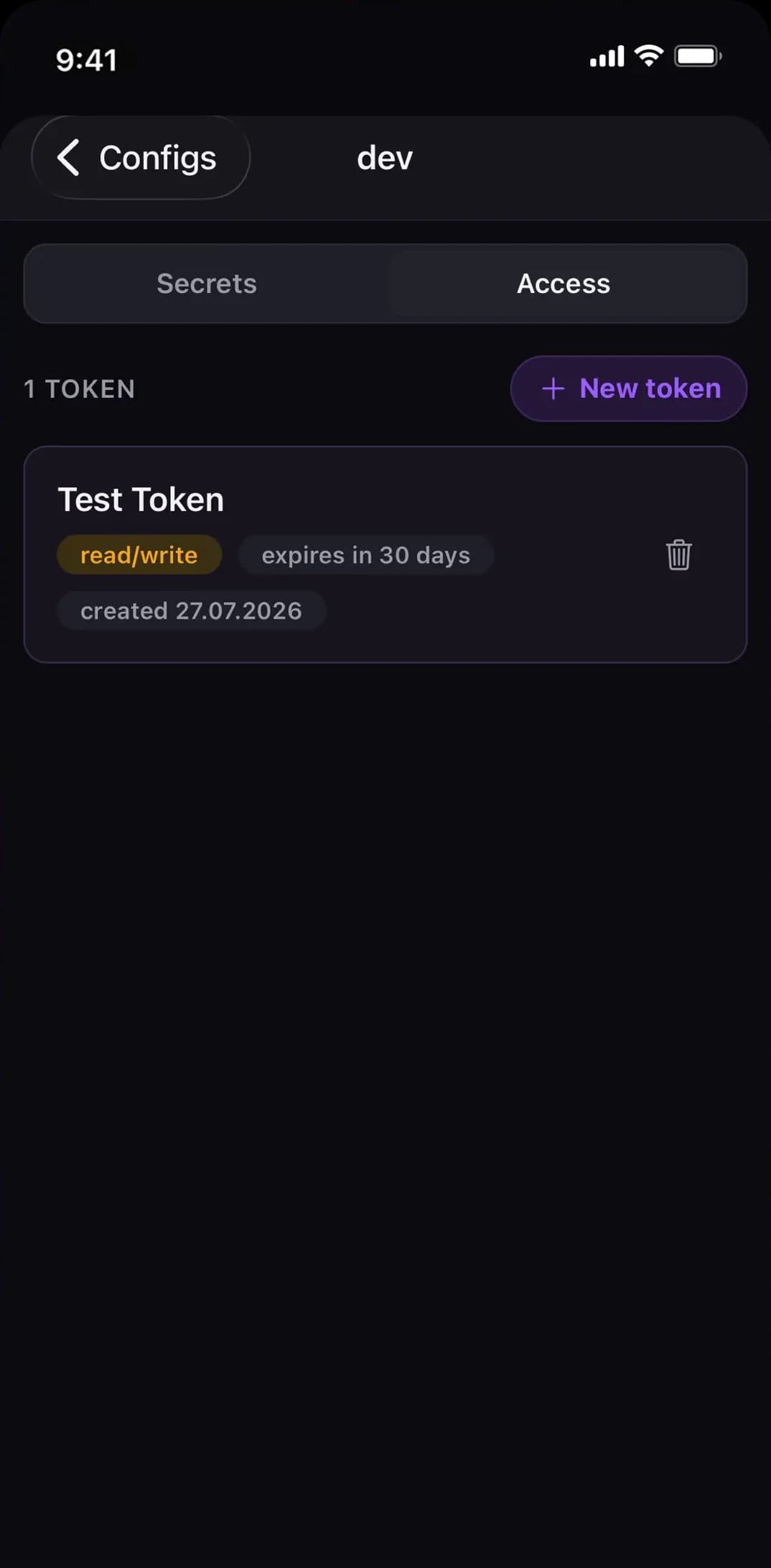
Tokens you control
Create and revoke Doppler service tokens without opening a laptop.
Back up multiple projects in one encrypted file
A standard age file with a passphrase — decryptable with age -d on any machine.
Restoring an export back into Doppler is not built yet. The format is versioned and lossless, so exports you make today will still work when it lands.
Built to be worth trusting with a token
A mobile app that touches your secrets manager has to earn its place. Here is exactly what Wavelength does with your data.
Your token, and only your token.
The single value stored on the device is your Doppler token, held in the iOS Keychain with WHEN_UNLOCKED_THIS_DEVICE_ONLY. That means it is not synced to iCloud, not included in device backups, and unreadable while the device is locked. After you paste it once it is never shown again — Settings displays a fingerprint like dp.sa.…abcd.
No secret values are persisted.
Secrets are requested from Doppler when a screen needs them and live in memory only. There is no local database, no cache file, and no export you didn't ask for.
No backend of ours.
Wavelength calls api.doppler.com/v3 directly from your device. There is no server of ours between you and Doppler — nothing to log your requests, nothing to breach, nothing to shut down.
Biometrics on every return.
Face ID or Touch ID unlocks the app on launch and every time it comes back from the background. While backgrounded, the token is dropped from memory.
Scoped access, respected.
Use a Doppler service account token limited to the projects you want on your phone. Wavelength reads what that token is actually allowed to do and doesn't offer you actions it cannot perform.
No analytics, no tracking.
No analytics SDK, no advertising identifiers, no third-party SDKs of any kind. The app makes exactly one kind of network request: to api.doppler.com.
Free to read. Pay once to write.
You shouldn't have to buy an app before you know it works with your setup. So everything you need to check a secret from your phone is free, permanently.
Free
$0- Browse projects, environments, configs
- Reveal and copy secret values
- Face ID / Touch ID lock
- iPad multi-pane layout
- View service tokens
Pro
$17.99 / €19.99 once- Edit secrets: add, rename, delete
- Compare configs and copy values across
- Encrypted export
- Create and delete projects, environments, configs
- Create and revoke service tokens
One payment, no subscription. Wavelength has no servers to run, so there are no running costs to pass on to you.
Questions worth asking before you paste a token
Do I need a Doppler account?
Yes. Wavelength is a client for Doppler — it needs an account and an API token. It is not a secrets manager of its own.
Why not just use the Doppler CLI?
For anything at a desk, the CLI is better, and this isn't trying to replace it. Wavelength is for the times you don't have a laptop open — and for the config comparison, which is faster here than switching browser tabs.
Which token should I use?
A service account token, scoped to the projects you want available on your phone. Read-only is a perfectly good choice; the app adapts to it.
Is Wavelength made by Doppler?
No. It is an independent client, not affiliated with or endorsed by Doppler.
Where do my secrets go?
Between your device and Doppler, and nowhere else. There is no Wavelength server.
What happens if I lose my phone?
The token is in the Keychain, is only readable while the device is unlocked, and is not in iCloud or device backups. Revoke the service token in Doppler and the copy on that device is dead.
Is there an Android version?
Not today. iPhone and iPad only.
Is my purchase transferable?
It's a one-time non-consumable purchase tied to your Apple Account. Restore Purchase in Settings brings it back on any device you sign in with.